
You are faced with a menu written in Thai, your interlocutor speaks only Portuguese, or a PDF in German is waiting on your desk. Each situation requires a suitable free translation application, not a generic tool. This ranking is based on three concrete criteria: the quality of translation in context, the features available without payment, and offline reliability.
1. DeepL Translator – quality of written translation

Further reading : The best methods to watch a movie streaming on your smart TV
When copying an entire paragraph from a contract or a news article, DeepL produces sentences that sound natural in French. The application excels with long texts where context matters: it reformulates with a fluidity that most competitors do not achieve with European languages.
The free version imposes a character limit per translation, but it is more than sufficient for daily use. To compare the best free translation applications on the accuracy of written text, DeepL remains the benchmark to beat.
Read also : Discover 123filmo and the best alternatives to watch movies and series for free
Its limitation: the number of supported languages is lower than Google or Microsoft. If you are working with Japanese or Hindi, you will need a supplement.
2. Google Translate – language coverage and offline mode
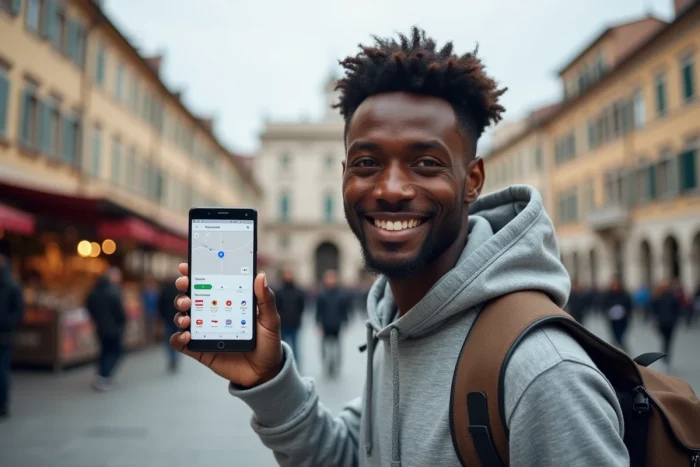
Google Translate supports over a hundred languages online. Without an internet connection, you can still access nearly 59 languages thanks to downloadable packs. It’s the go-to tool when traveling to a country where mobile network is unreliable.
Camera translation changes the game when traveling: you point your phone at a sign, a menu, or a label, and the translated text appears overlaid. The voice function also allows you to dictate a sentence and get the spoken translation, useful for making yourself understood in a taxi or at a market.
Feedback varies on the quality of less common languages. For English, Spanish, or German, the result is reliable. For Khmer or Burmese, you sometimes get approximations.
3. Microsoft Translator – multilingual group conversations

Microsoft Translator manages over sixty languages and works online as well as offline after downloading dictionaries. Its unique feature: the real-time multilingual conversation mode, where each participant joins a session from their phone and reads the translation in their own language.
In a professional meeting or during an informal exchange with several foreign interlocutors, this function remains unmatched for free. The application also integrates with Microsoft tools (Outlook, PowerPoint), simplifying document translation.
4. Reverso – context and vocabulary learning

Reverso does not just translate a word: it displays usage examples drawn from real texts. You see how a term is used in a sentence, with which prepositions, in what register. It is a translation tool as well as a learning tool.
The integrated flashcard function allows you to save encountered words and review them later. For someone learning a language alongside their travels, this dual translation/learning role saves time.
Concrete limitation: Reverso covers fewer languages than Google or Microsoft. It performs well with major European languages and Arabic, but is lacking in many Asian languages.
5. SayHi Translate – instant voice translation

SayHi focuses on a single use: you speak in one language, the application translates and pronounces the result in the other language. The interface is stripped down, designed for quick oral exchanges.
This is the app you open when you need to communicate with someone who shares no common language. Voice recognition works well even in a noisy environment, making it practical outdoors.
6. iTranslate – text and voice translation on iOS and Android

iTranslate offers text and voice translation with a polished interface. The free version covers common needs: phrase translation, listening to pronunciation, history of recent translations.
The application stands out for its compatibility with the Apple Watch and its keyboard widget, which allows you to translate directly from any messaging app without changing screens.
7. Linguee – bilingual dictionary with text corpus

Linguee works differently from automatic translators. It searches for a word or phrase in a corpus of texts translated by professionals, then displays the results in context. This way, you get verified translations rather than those generated by an algorithm.
It is an ideal complement to verify a doubtful construction produced by another translator. Linguee is developed by the same team as DeepL, ensuring a quality database for European languages.
8. TripLingo – translation tailored for travelers

TripLingo does not just translate words: the application provides phrases tailored to specific travel situations (hotel, restaurant, emergency, transport). It adjusts the language register, from formal to informal, according to the chosen context.
An integrated voice translator and access to live interpreters (paid) complete the offering. The free version provides access to basic phrases and an offline dictionary for several destinations.
9. Apple Translation – native application integrated into iOS

Pre-installed on iPhone and iPad, the Apple Translation app offers a simple face-to-face conversation mode: you place the phone between two people, each speaks in turn, and the translation is displayed and pronounced automatically.
System integration is its main asset. You can translate selected text in Safari, Mail, or any app without opening a separate translator. The number of languages remains limited compared to Google, but data privacy is better managed thanks to local processing on the device.
10. Instant Voice Translation – translation powered by generative AI

This application is presented as powered by ChatGPT-like technology to enhance the context and fluidity of translations. The approach aims to produce more natural results than a classic word-for-word translation, taking into account the overall meaning of the sentence.
The application offers both voice and text translation. Its interest lies in its ability to rephrase complex sentences in a readable manner, an asset for translating long messages or professional emails.
The choice of a translation application depends on the context of use. For demanding written text, DeepL remains at the top. For traveling with maximum language coverage, Google Translate stands out. And for direct oral exchanges, SayHi or the Apple Translation app get the job done without configuration.